
What Is Dropbox DocSend? A Plain Guide (2026)
Dropbox DocSend is the tracked-sharing product Dropbox acquired in 2021: trackable links, page-by-page analytics, data rooms, and eSignature. Here's what it.

On this page
Dropbox DocSend is a secure document sharing and tracking product owned by Dropbox. You upload a file, share it as a link instead of an attachment, and see page-by-page analytics on who opened it and how long they spent. Dropbox acquired DocSend in 2021, so it now sits inside Dropbox alongside features like data rooms and eSignature. It is not the same thing as plain Dropbox file storage.
What Dropbox DocSend actually does
DocSend turns a document into a smart link. Instead of emailing a PDF that you lose control of the second it lands in an inbox, you upload the file once and share a link. The link can require an email to view, expire on a date, or be revoked entirely. Update the underlying file and the link still points to the latest version.
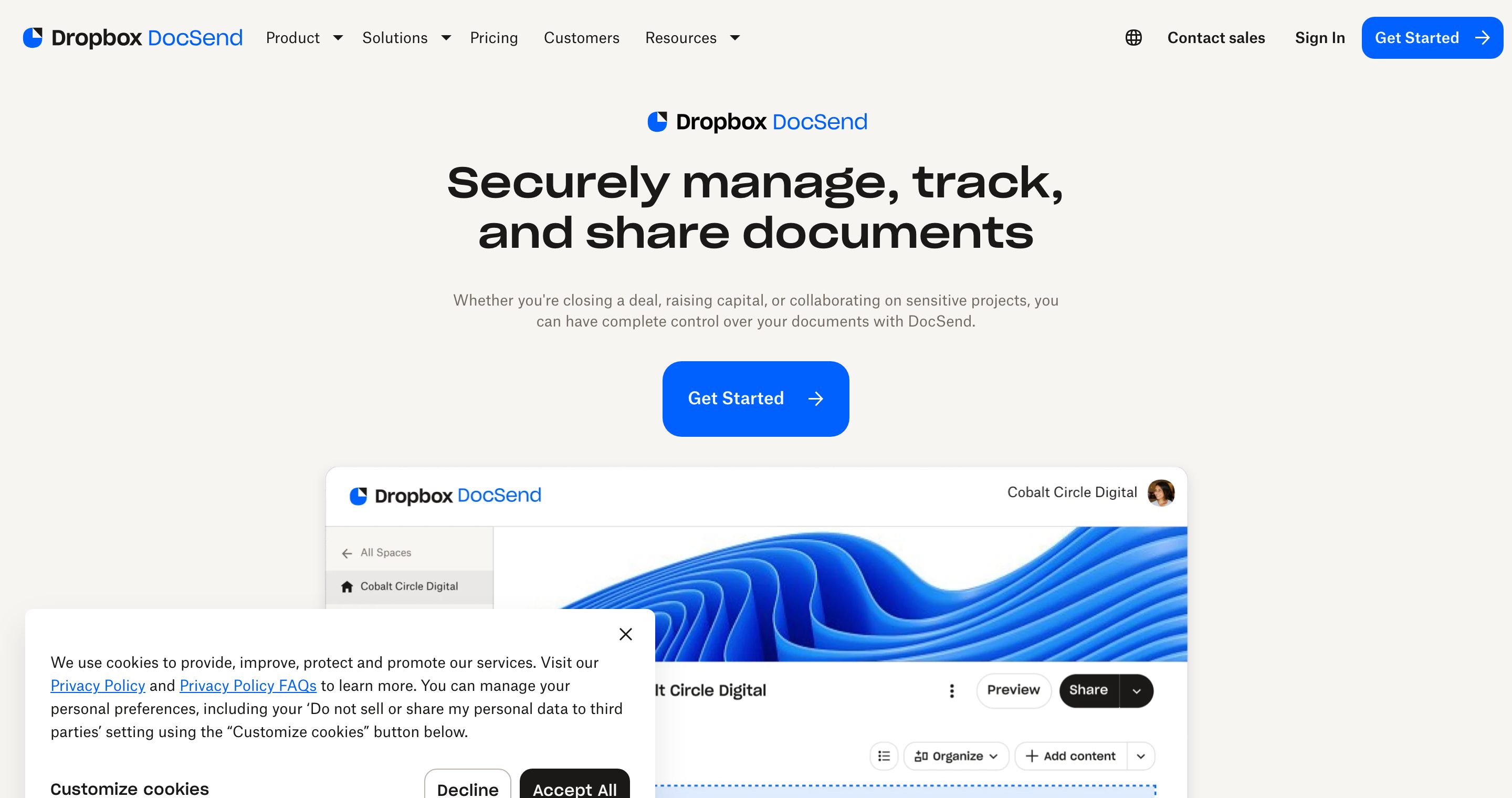
The headline feature is analytics. DocSend tells you who opened the document, which pages they read, how long they spent on each one, and whether they finished. For a founder sharing a pitch deck, that is the difference between "they have my deck" and "the lead partner read pages 4 through 9 twice and stopped at the financials."
Four core capabilities sit under the DocSend umbrella:
- Link sharing. One trackable link per document, with access controls layered on top.
- Page-by-page analytics. View counts, time per page, and completion data for every visit.
- Data rooms. Folders of documents shared as a single space for due diligence, with permissions and aggregate analytics.
- eSignature. Request and collect legally binding signatures, which is the piece Dropbox folded in after the acquisition.
That is the product. It is mature, widely used in venture and sales, and it does the core job well.
DocSend by Dropbox vs plain Dropbox file sharing
This is the question most people actually have when they search "what is dropbox docsend." They are two different products.
Dropbox (the storage product) is for keeping files in the cloud and syncing them across devices. When you "share" a Dropbox file, you grant someone access to a copy in a folder. You can set a password or expiry on shared links, but you do not get page-level analytics, you do not get a viewer-by-viewer audit trail, and there is no data room layer built for outsiders to review documents.
Dropbox DocSend is for controlled, tracked sharing with people outside your company. The whole point is visibility into what the recipient did after you hit send. You would store your working files in Dropbox, then use DocSend when you need to send a deck to an investor or a contract to a client and actually know what happened next.
A simple rule: Dropbox answers "where is my file." DocSend answers "what did the recipient do with my file."
Who Dropbox DocSend is for
DocSend grew up in two worlds and still serves them best:
- Founders raising capital. Sharing a pitch deck or a Series A data room and watching which investors engage.
- Sales and revenue teams. Sending proposals and one-pagers and seeing which stakeholder forwarded the deck internally.
It also fits corporate development, client services, and anyone who sends sensitive documents to people they do not control and wants a record of engagement. If you only need to dump a folder of files for a coworker, you do not need DocSend. Plain Dropbox, Google Drive, or a shared link is enough.
Dropbox (storage) vs DocSend vs Plox
Here is how the three stack up across the dimensions that matter when you are choosing a tool for sharing documents with people outside your company.
| Dimension | Dropbox (storage) | Dropbox DocSend | Plox |
|---|---|---|---|
| Link tracking | Basic shared links | Yes, per-link | Yes, per-link, file updatable |
| Page-by-page analytics | No | Yes, strong | Yes, plus real-time view alerts |
| Data rooms | No | Yes | Yes, AI virtual data rooms |
| Dynamic watermarking | No | On higher tiers | Yes, per viewer on every page |
| One-click NDA | No | Limited | Yes, built in |
| Genuine free plan | Storage free tier only | Weak / limited | Yes, links + analytics + alerts, no card |
| Pricing model | Per-user subscription | Per-user subscription | Flat, published, self-serve |
| AI layer | No | No | Ploxie AI answers viewer questions |
Two notes on reading this table. First, DocSend's analytics are a genuine strength and the reason it earned its reputation. Second, on dropbox docsend pricing, DocSend uses a paid, per-user subscription model and its free option is thin compared with what a free plan should do today. Check the current numbers on the official site before you commit, because vendor pricing changes [VERIFY PRICE].
Where Plox is different
DocSend is a solid, trusted product. Being fair about that matters. Its clean analytics set the standard, and the Dropbox brand carries real weight in a procurement conversation, which is a legitimate reason a buyer might pick it.
Plox is the modern take on the same problem, and it wins in three concrete places:
- A real free plan. Secure trackable links, page-by-page analytics, and real-time view notifications, with no credit card and no time limit. Watermarking, data rooms, and advanced security live on paid plans, with a 14-day Data Rooms trial.
- AI data rooms. Plox data rooms include folders, metrics blocks, video, and branding, plus Ploxie AI that answers a viewer's questions directly from the documents in the room. DocSend has data rooms; it does not have an AI layer that talks to viewers.
- Per-viewer dynamic watermarking. Plox stamps each viewer's identity onto every page on every view, which is a stronger leak deterrent than a static watermark.
Add a modern, well-designed interface and transparent flat pricing with no sales call, and you get a tool that does the DocSend job without the dated feel or the per-seat math. If you want the head-to-head, see our Plox vs DocSend comparison.
Original asset: is Dropbox DocSend right for you?
Run this checklist. Count your yes answers.
IS DROPBOX DOCSEND RIGHT FOR YOU? (decision checklist)

Lean DocSend if you answer YES to most of these:
[ ] You are already standardized on Dropbox across the company
[ ] Brand recognition with your buyer matters in procurement
[ ] You need eSignature in the same tool as document tracking
[ ] You are fine paying per user and your free-tier needs are minimal
[ ] You want a mature product with a long track record

Lean Plox if you answer YES to most of these:
[ ] You want a genuinely free plan with real analytics, no credit card
[ ] You want AI in the data room that answers viewer questions
[ ] You want per-viewer dynamic watermarking on every page
[ ] You want flat, published pricing and no sales call
[ ] A modern, well-designed sharing experience is a priority
[ ] You are a founder or dealmaker sharing decks and running diligence

Lean plain Dropbox (or Google Drive) if:
[ ] You only need cloud storage and internal file sharing
[ ] You do not need to track what external viewers do
Mostly DocSend boxes: it is a safe, capable pick. Mostly Plox boxes: start on the free plan and only pay when you need data rooms or watermarking. Mostly the third group: you do not need a tracked-sharing tool at all.
One honest limitation
Plox is not the right choice for every buyer. If your organization is deeply standardized on the Dropbox ecosystem, your security team has already vetted Dropbox, and brand familiarity carries weight in your procurement process, DocSend's integration into that stack is a real advantage that a newer tool cannot match overnight. Choose the tool that fits your buying context, not just the feature list.
For the official corporate background on the acquisition, Dropbox's own DocSend acquisition announcement is the authoritative source.
Frequently asked questions
Is DocSend owned by Dropbox? Yes. Dropbox acquired DocSend in 2021, and it is now a Dropbox product. You will often see it branded as "Dropbox DocSend."
Is Dropbox DocSend the same as sharing a Dropbox link? No. A plain Dropbox shared link gives someone access to a stored file. DocSend gives you a tracked link with page-by-page analytics, access controls, and data rooms. Different products, same parent company.
How much does Dropbox DocSend cost? DocSend uses a paid, per-user subscription model, with plan tiers that add features like data rooms and stronger security. Prices change, so check the current numbers on the official DocSend site rather than relying on a figure from any blog [VERIFY PRICE].
Does Dropbox DocSend have a free plan? DocSend's free option is limited and is one of the weaker parts of the product. If a genuine free plan with real analytics matters to you, compare it against Plox's free plan before deciding. For a fuller picture of DocSend itself, read what is DocSend.
Is Dropbox DocSend secure? DocSend offers access controls, viewer verification, and watermarking on higher tiers, and it is widely used for sensitive documents. For a detailed look at its security posture, see is DocSend safe.
What are the main alternatives to Dropbox DocSend? The common alternatives include Plox, Papermark, and legacy virtual data rooms, each with different tradeoffs on price, free tier, and AI features. We break them down in DocSend competitors.
The bottom line
Dropbox DocSend is the tracked-sharing product inside Dropbox: links, page analytics, data rooms, and eSignature. It is mature and trusted, and its analytics earned that reputation. Where it falls short is the free tier and the absence of a modern AI layer. If you want a real free plan, AI virtual data rooms, and per-viewer watermarking in a tool built for founders and dealmakers, start sharing on Plox for free and only pay when you need the room.
Written by the Plox team
Plox builds secure document sharing and virtual data room software for founders and dealmakers. We share pricing and comparisons transparently, and recheck competitor details regularly.