
DocSend Competitors Compared, Feature by Feature (2026)
A feature-by-feature look at the main DocSend competitors, with a selection framework, an honest verdict on each, and a clear recommendation for founders and.

On this page
- Why people look for DocSend alternatives
- How to choose a DocSend alternative: a selection framework
- The main DocSend competitors compared
- A short verdict on each DocSend competitor
- Plox
- Papermark
- PandaDoc
- Google Drive
- Notion
- BriefLink and pitch tools
- What to look for in a DocSend alternative
- A worked example: choosing the right tool for a Series A raise
- Copy-paste checklist: evaluating a DocSend alternative
- An honest limitation
- Recommendation
- Frequently asked questions
- What is the best DocSend alternative?
- Is there a free DocSend competitor?
- Does Plox have data rooms like DocSend Spaces?
- Is Google Drive or Notion a good DocSend alternative?
- How does DocSend pricing compare to Plox?
- Which DocSend alternative is best for fundraising?
- Is Papermark or Plox better?
The main DocSend competitors are Plox, Papermark, PandaDoc, Google Drive, Notion, and pitch tools like BriefLink. For founders and dealmakers who want page-by-page analytics, built-in data rooms, and a genuinely free plan, Plox is the best all-round DocSend alternative. DocSend remains a polished incumbent, but its per-user pricing and limited free tier push many teams to look at these alternatives.
Why people look for DocSend alternatives
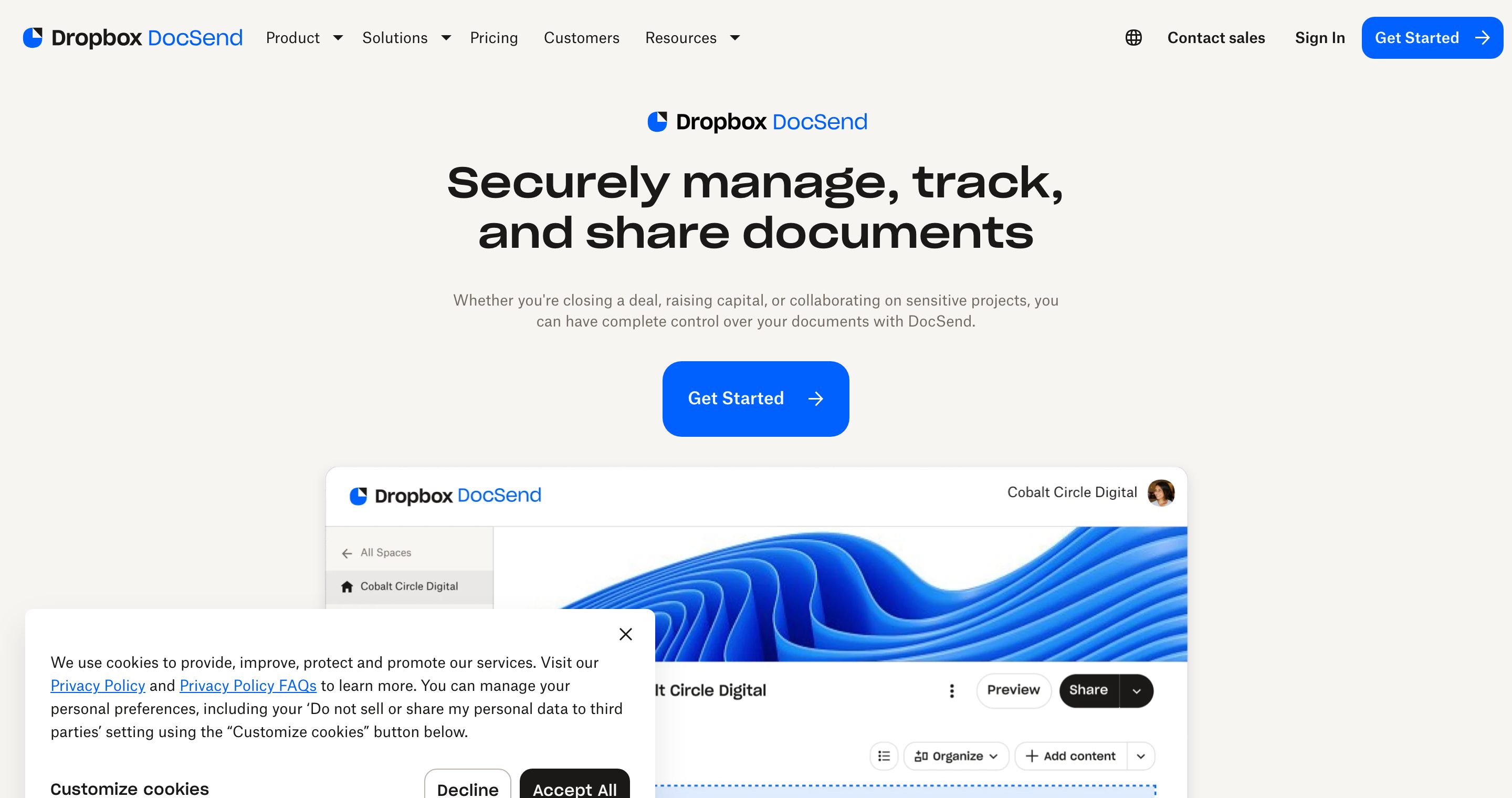
DocSend, now owned by Dropbox, helped define secure document sharing with trackable links and viewer analytics. It is a mature, well-designed product. The reasons teams search for DocSend competitors are usually consistent: per-user pricing that climbs as the team grows, a free experience that is closer to a trial than a real plan, and data room features (Spaces) gated behind higher tiers.
If you are raising a round, sharing a sales deck, or running diligence, you want analytics depth, real security controls, and a price that does not scale painfully per seat. That is where the alternatives below come in.
It helps to be fair about where DocSend is genuinely strong. Its viewer analytics are clean, its link experience is reliable, and its brand is trusted by investors who have opened thousands of DocSend links. If you are a solo founder sending one deck and price is no object, DocSend works. The friction shows up when the team grows, when you need a real free plan, or when you need a data room rather than a single tracked link. For a fuller picture of the incumbent itself, see what DocSend is and how it works.
How to choose a DocSend alternative: a selection framework
Do not start from a feature list. Start from the job you are hiring the tool to do, then filter on the dimensions that actually change the outcome. Run a candidate through these eight criteria in order, and stop at the first one that disqualifies it.
- Job-to-be-done. Are you sharing one deck, running multi-party diligence, or sending sales proposals to sign? A pitch link, a data room, and an e-signature workflow are three different products. Match the tool to the job before anything else.
- Free plan reality. Is the free tier a real plan you can live on, or a 14-day trial in disguise? A real free plan means no credit card, no time limit, and core value (secure links plus analytics) included.
- Analytics depth. Open tracking ("they opened it") is table stakes. Page-by-page analytics, time-per-page, completion percentage, and per-viewer tracking are what tell you whether an investor read past slide three.
- Data rooms, built in vs bolted on. If diligence is on the horizon, you need folders, file-level permissions, visitor groups, Q&A, and NDA gating, native to the product, not reserved for a top tier or stitched together from folders.
- Document control and security. Look for passcodes, verified-email access, allow and block lists, link expiry, one-click revoke, disable-download, and dynamic per-viewer watermarking. These are what protect a confidential deck after it leaves your hands.
- Pricing model and transparency. Per-user pricing punishes growing teams and gets unpredictable fast. Flat, published, self-serve pricing is easier to forecast and usually cheaper at scale. Sales-gated quotes are a tax on your time.
- Design and viewer experience. Your document is the first impression. A clean, branded, no-login viewer converts better than a clunky gate that asks the recipient to create an account.
- AI layer. A newer dimension: can the room answer a viewer's question from the documents themselves, so you are not fielding the same five questions over email? This is where most legacy tools have nothing to offer.
Score each candidate 0 to 2 on the criteria that matter for your job, and the winner usually becomes obvious. The table in the next section does the first pass for you.
The main DocSend competitors compared
Here is how the leading options compare across the dimensions that decide most document-sharing and data-room decisions. Pricing reflects each vendor's published model; check current pricing pages before you commit, as plans change.
| Tool | Free plan | Page analytics | Data rooms | Watermarking | NDA gating | Pricing model | Best for |
|---|---|---|---|---|---|---|---|
| Plox | Yes, genuinely free, no card | Yes, page-by-page on every plan | Yes, built in (Data Rooms plan) | Yes, dynamic per viewer | Yes, one-click NDA | Flat, published, self-serve, free to start | Founders and dealmakers who want tracking plus real data rooms |
| DocSend | Limited, trial-style | Yes, page-level | Spaces, on higher tiers | Yes (paid) | Limited | Per user | Solo sharing inside the Dropbox ecosystem |
| Papermark | Yes, plus open source | Yes | Basic, self-hostable | Yes | Basic | Free / open source / paid hosted | Teams who must self-host or want open source |
| PandaDoc | No true free plan | Basic open tracking | No data room | Limited | Via contract flow | Per user, proposals + e-sign | Sales proposals and e-signature |
| Google Drive | Free storage | No | Folders only | No | No | Workspace seat | Casual, non-confidential sharing |
| Notion | Yes (personal) | No view analytics | No, pages and databases | No | No | Per user / free personal | Internal docs and lightweight public pages |
| BriefLink | Varies | Light link tracking | No | Limited | No | Free / low cost | Sending a single pitch deck with a link |
For a deeper side-by-side, see our full Plox vs DocSend comparison or browse all comparisons. If your decision is really DocSend against Dropbox itself, the DocSend vs Dropbox breakdown covers that head to head.
A short verdict on each DocSend competitor
Plox
Plox is the modern, free-to-start DocSend alternative built for founders and dealmakers. Every plan, including Free, gives you secure trackable links that need no viewer account or download, page-by-page analytics, and real-time notifications when someone opens your document. The link never changes, so you can update the underlying file anytime without resending. Paid tiers add custom branding, custom domains, the ability to disable downloads, verified-email access, passcodes, link expiry, one-click revoke, allow and block lists, dynamic watermarking applied per viewer on every page, and lead scoring. The dedicated Data Rooms plan adds unlimited data rooms, file-level permissions, visitor groups, Q&A, one-click NDA gating, metrics blocks, video, and branding, with a 14-day trial. Ploxie AI sits inside the room and answers viewer questions directly from the documents.
The short version: if you want DocSend-style tracking plus real data rooms without per-seat pricing, Plox is the strongest pick.
Papermark
Papermark is an open-source DocSend alternative. It offers a free plan and self-hostable code, link analytics, and basic data room functionality. It is a good fit if open source matters to you or you want to host the platform yourself. Credit where due: a permissively licensed, self-hostable core is something no commercial incumbent offers, and for security-conscious teams that want to own their stack, that is a real advantage. The trade-off is that self-hosting carries setup and maintenance overhead, and the hosted polish and depth of security controls may lag a commercial product.
PandaDoc
PandaDoc is less a pure DocSend competitor and more a document workflow tool. Its strength is proposals, contracts, and e-signature, with basic open tracking on documents you send. There is no true free plan and no real data room. PandaDoc genuinely excels at one thing DocSend does not: a polished, legally robust e-signature and proposal-builder workflow. Choose PandaDoc if your core need is sending and signing sales proposals rather than running diligence or sharing a pitch deck with granular analytics.
Google Drive
Google Drive is the default many founders reach for first. Storage is free with a Google account, and sharing is frictionless, which is exactly what makes it so widely used. The catch is that it was never built for confidential document sharing: there are no page-level view analytics, no per-viewer tracking, folders instead of structured data rooms, and security tied to the Workspace seat model. It works for casual sharing, but not for deals where you need to know who read what.
Notion
Notion is a strong internal-docs and wiki tool that many startups already use to run the company. You can publish a page publicly, share an internal doc, or build a lightweight database. Where it falls short as a DocSend alternative: there are no per-viewer page analytics, no completion tracking, no watermarking, and no data room permissions. A public Notion page tells you nothing about who read it. Use Notion to organize your internal data room index or your fundraising notes, then share the actual confidential documents through a tool built for tracking and control.
BriefLink and pitch tools
Tools like BriefLink and other pitch-deck sharing utilities cover the narrow case of sending a single deck with a link and light tracking. They are simple and often cheap, but they generally lack data rooms, granular permissions, and the security controls that diligence and fundraising require.
What to look for in a DocSend alternative
When you evaluate DocSend competitors, weigh these factors against the framework above.
- Free plan: Is there a genuinely free tier, or just a time-limited trial? Plox and Papermark offer real free plans. DocSend and PandaDoc do not.
- Analytics depth: Page-by-page analytics and per-viewer tracking tell you what your audience actually read. Plox includes this on every plan; Google Drive and Notion offer none.
- Data rooms: If you run diligence, you need file-level permissions, visitor groups, Q&A, and NDA gating, not just folders. Look for data rooms built in rather than bolted on or reserved for top tiers. Our guide to creating a data room walks through the structure.
- Security: Verified-email access, allow and block lists, dynamic watermarking, screenshot protection, passcodes, link expiry, and the option to disable downloads protect sensitive material.
- Price: Per-user pricing punishes growing teams. Flat, published, self-serve pricing is easier to predict and usually cheaper at scale.
A worked example: choosing the right tool for a Series A raise
Concrete beats abstract. Say you are a founder raising a Series A. Here is how the decision plays out, step by step, using the framework above.
- Teaser stage. You send a short deck to 30 investors to gauge interest. You need to know who opened it, which slides held attention, and who shared it onward. A single tracked link with page-by-page analytics is the right tool. Plox Free or DocSend both do this; Google Drive and Notion do not, because neither shows page-level engagement.
- Warm conversations. Five investors lean in and ask for the full deck plus a financial model. Now you want to disable downloads on the model, require a verified email, and get a real-time ping when each one opens it. Plox includes verified-email access, disable-download, and real-time notifications; a raw Google Drive link gives you none of these.
- Diligence. Two firms move to term sheets and request a data room: cap table, contracts, financials, IP assignments, and board minutes. Now you need folders, file-level permissions, visitor groups so each firm sees only its own activity, an NDA on entry, and per-viewer watermarking on every page. This is where DocSend pushes you to Spaces on a higher tier, and where Google Drive and Notion fall out entirely. Plox Data Rooms covers all of it, with Ploxie AI answering the analyst's "where is the 2024 audit?" without an email to you. The VC data room guide maps the exact folder structure.
- Close. Term sheet signed. You revoke data room access for the firms that passed, keep the link live for the lead, and update the financial model in place without resending. One-click revoke and the never-changing link make this trivial.
The pattern: most founders need one tool that scales from a single tracked deck to a full data room without forcing a migration mid-raise. That is the gap Plox is built to fill.
Copy-paste checklist: evaluating a DocSend alternative
Run any candidate through this before you commit. If it fails three or more, keep looking.
DocSend alternative evaluation checklist

Free plan
[ ] Real free plan (no card, no time limit), not a trial
[ ] Core value (secure link + analytics) included on free

Analytics
[ ] Page-by-page view analytics, not just "opened"
[ ] Time per page and completion percentage
[ ] Per-viewer breakdown (who read what)
[ ] Real-time open notifications

Data rooms
[ ] Native data rooms, not just folders
[ ] File-level / folder-level permissions
[ ] Visitor groups (each party sees only its own view)
[ ] In-room Q&A
[ ] One-click NDA gating

Security / document control
[ ] Passcodes and verified-email access
[ ] Allow / block lists
[ ] Link expiry and one-click revoke
[ ] Disable download
[ ] Dynamic per-viewer watermarking

Experience and price
[ ] No-login, branded viewer
[ ] Custom domain option
[ ] Flat, published, self-serve pricing (no sales call)
[ ] AI that answers viewer questions from the docs
An honest limitation
Plox is not the right tool for every job. If your core need is building, sending, and legally signing sales proposals or contracts, a workflow tool like PandaDoc or a dedicated e-signature product will serve you better than Plox, because proposal authoring and binding signature flows are their entire focus. Plox offers one-click NDA gating on a data room, but it is not a full contract-lifecycle or e-signature platform. Use the right tool for the job: share and track with Plox, sign complex multi-party contracts where signature is the product. Similarly, if you must self-host on your own infrastructure for compliance reasons, Papermark's open-source path fits that constraint in a way a hosted product cannot.
For broader context on the category and how trackable links differ from raw file shares, Dropbox's own DocSend overview is a reasonable primer on what the incumbent set out to do.
Recommendation
For most founders and dealmakers, Plox is the best DocSend alternative: it starts genuinely free, includes page-by-page analytics and real-time notifications on every plan, and offers true data rooms with file-level permissions, visitor groups, Q&A, and NDA gating under flat, published pricing.
Pick DocSend if you are already embedded in the Dropbox ecosystem and per-user pricing is not a concern. Pick Papermark if open source or self-hosting is a hard requirement. Pick PandaDoc if your real job is proposals and e-signature, not data rooms. Use Google Drive or Notion only for casual or internal sharing where analytics and document control do not matter. For a wider survey of the category, our roundup of the best secure document sharing software compares the field beyond DocSend alone.
Ready to try the alternative most founders land on? Start free on Plox: secure trackable links, page-by-page analytics, and real-time notifications, with no credit card and no time limit, plus a 14-day Data Rooms trial when diligence begins.
Frequently asked questions
What is the best DocSend alternative?
For founders and dealmakers, Plox is the best all-round DocSend alternative. It combines page-by-page analytics and real-time notifications on every plan, including a genuinely free one, with built-in data rooms and flat, published pricing instead of per-user costs.
Is there a free DocSend competitor?
Yes. Plox offers a genuinely free plan with secure trackable links, page-by-page analytics, and real-time notifications, with no credit card and no time limit. Papermark also offers a free and open-source option. DocSend itself only offers a limited, trial-style free experience.
Does Plox have data rooms like DocSend Spaces?
Yes. The Plox Data Rooms plan includes unlimited data rooms, file-level permissions, visitor groups, Q&A, and NDA gating, with a 14-day trial. DocSend offers Spaces, but typically on higher tiers.
Is Google Drive or Notion a good DocSend alternative?
Only for casual or internal sharing. Google Drive has free storage and easy sharing, and Notion is excellent for internal docs, but neither offers page-level view analytics, per-viewer tracking, or structured data rooms. For confidential deals, a purpose-built tool is a better fit.
How does DocSend pricing compare to Plox?
DocSend uses per-user pricing, which rises as your team grows, and reserves data room features for higher tiers. Plox uses flat, published, self-serve pricing and starts free, which is usually more predictable and cheaper at scale. Check each vendor's current pricing page before committing.
Which DocSend alternative is best for fundraising?
Plox is well suited to fundraising. You can share a pitch deck with a secure trackable link, see page-by-page analytics on who read what, get real-time open notifications, and move to a full data room with permissions and NDA gating when diligence begins, all without migrating tools mid-raise.
Is Papermark or Plox better?
Papermark is the right choice if open source or self-hosting is essential. Plox is the better choice if you want a polished hosted product with deeper security controls, built-in data rooms, dynamic watermarking, and analytics on every plan without managing infrastructure yourself.
Written by the Plox team
Plox builds secure document sharing and virtual data room software for founders and dealmakers. We share pricing and comparisons transparently, and recheck competitor details regularly.